Smart Clean Space
- 4.2
- Rating
- 100.00K
- Installs
- Free
- Price

 Analysis by App-foxy
Phone storage problems rarely arrive at a convenient moment. They show up when I am trying to take a photo, install an update, download an attachment, or record a short video. The frustrating part is not always the lack of space itself; it is the time spent hunting through folders, guessing which files are safe to remove, and wondering whether an apparently disposable item is actually important. Smart Clean Space, a free tools app from Pervaiz Studio, is aimed at making that recurring cleanup task easier to approach.
After using it, my impression is that its value depends less on dramatic changes and more on reducing the mental effort around routine maintenance. It is designed for people who want a simpler way to review unwanted material rather than manually opening every folder. The store summary presents the idea of turning complexity into simplicity, and that is a fair way to understand the app’s purpose: it is a focused utility for bringing order to a messy storage situation.
The app has an average rating of 4.2 from around 100 ratings, with just over ten written reviews, and it has passed 100K installs. Those figures suggest that it has found an audience, although I would not treat them as proof that it will behave identically on every phone. Storage tools can feel very different depending on the device, Android version, and amount of clutter already present. Smart Clean Space supports Android 10 and newer, so compatibility is straightforward for many current users.
You May Also Like

 Pandora - Music & Podcasts
Pandora’s Music Is Easy to Start, but Harder to Recover
Pandora’s strength is its low-effort path from a seed to a station. Its weak spot is how much confidence it asks you to place in connection, setup, and quiet recovery.

 8 Ball Pool
 Is Built on Rivalries, Rematches, and Routine
A close look at the rivalries, rematches, shared routines, and unanswered safety questions that turn a quick pool match into a persistent mobile community.

 Samsung Music
’s Quiet Strength Is Playing What You Already Own
Its reach comes less from spectacle than from dependable access to a personal library. That simplicity is both the app’s strongest retention engine and its ceiling.

 AccuWeather: Weather Radar
AccuWeather Review: A Quick, Clear Forecast for Everyday Decisions
For everyday plans, the best forecast is the one you can understand quickly. AccuWeather makes rain timing, radar, and local conditions easy to act on, with a few trade-offs.

 Hill Climb Racing
Why Hill Climb Racing Still Turns Crashes Into One More Run
A tiny car, a bumpy hill and one more upgrade: Hill Climb Racing keeps resurfacing because its simple chaos makes every near-miss feel personal.

 AliExpress - Shopping App
AliExpress Makes Global Shopping Feel Personal, but Shoppers Bear the Risk
AliExpress turns a global marketplace into a pocket-sized discovery engine. Its reach is useful, its shopping loop compelling, and its trade-offs easy to miss.
More From Our News Desk
View All News


How Smart Clean Space fits into real phone maintenance
I find Smart Clean Space most useful when phone maintenance is treated as a small, regular task rather than an emergency response. In this section, I’ll focus on how to fit a cleanup into everyday habits, including one simple way to avoid rushed deletions. That practical routine also helps clarify what a dedicated cleaner can—and cannot—replace.
The recurring problem is not finding files, but deciding what matters
Most people do not need a complicated explanation of why a phone fills up. Photos accumulate, downloads are forgotten, temporary material remains behind, and duplicate or unnecessary items become difficult to distinguish from useful ones. The real obstacle is the decision-making process. A file manager gives me access to storage, but it also leaves me responsible for interpreting everything I see.
That is where a cleaning utility can save time. Instead of treating storage as a collection of unrelated folders, it gives the cleanup task a more direct purpose. I can approach the phone with one question: what can I safely review and remove? That change in framing is small, but it matters when I am busy or when the device is already warning me about limited space.
I would not use Smart Clean Space as a substitute for a backup routine. A cleaner is useful for removing material I have already decided I do not need; it should not become the place where I make careless decisions about irreplaceable photos, work documents, or personal recordings. My best results came from treating its suggestions as a shortlist for inspection, not as permission to delete everything without looking.
This distinction is especially important for anyone who shares a phone with work and personal tasks. A screenshot that looks disposable may contain a delivery detail, a reservation, or a reference I still need. A downloaded file may be old, but it could also be the only local copy. The app helps narrow the search, while the final judgment still belongs to me.
The first useful setup is a short review, not a full storage overhaul
When I first approach a cleaning app, I prefer not to begin with an ambitious “clean everything” session. A better starting point is a small review of the categories or items it presents, followed by a pause to check what those items actually represent. This makes the first use less risky and gives me a clearer sense of how the app handles my particular phone.
Smart Clean Space is free, which lowers the barrier to trying that workflow. Its content rating is Everyone, so it is positioned as a general-purpose utility rather than a specialist tool for a narrow audience. The current release is version 1.0.3, and I would keep the app updated through the normal store process because utilities that inspect device content benefit from bug fixes and compatibility improvements.
My practical advice is to begin when I have enough time to read the results rather than when I am rushing to free space before an important task. I would first review obvious clutter, remove only items I recognize, and then check whether the phone behaves normally afterward. This staged approach is more reliable than making a large deletion in one tap, particularly if the device contains mixed personal and professional material.
Another useful habit is to clean after a known clutter-producing activity. For example, after a trip, a project, or a long period of downloading files, I already know why storage has become untidy. That context makes the app’s review more meaningful because I can recognize the difference between temporary material and something worth keeping.
Everyday scenarios where the app earns its place
The most convincing use case is the last-minute storage warning. Imagine preparing to record a family event while the phone says there is not enough room. Opening a file manager and checking folders one by one is possible, but it is slow and distracting. A cleaner gives me a more direct route to reviewing likely clutter, so I can focus on the items I understand and regain usable space without turning the moment into a technical project.
A second scenario is after receiving a large number of images through messaging or social apps. Not every image is valuable, and the same visual material can remain in several places after it has been forwarded or saved. Smart Clean Space is useful here as a review aid because it turns a vague feeling of “my phone is full of junk” into a concrete cleanup session. I still inspect anything personal, but I do not have to begin by remembering every folder where those files might be stored.
It can also fit a weekly maintenance routine. Rather than waiting until the phone becomes difficult to use, I can spend a few minutes reviewing unnecessary material at a calm time. The benefit is not only recovered space. Regular reviews reduce the chance that a future urgent cleanup will involve hurried decisions. For me, that is a more sensible pattern than installing a cleaner only when storage has already become a crisis.
There is a useful distinction between this kind of tool and a file manager. A file manager is better when I need precise control over folder structure, filenames, or transfers. Smart Clean Space is better when my goal is to reduce clutter with less navigation. If I need to organize a work archive, rename batches of documents, or move files between locations, I would choose the file manager. If I simply need help identifying material worth reviewing, the cleaner is the more comfortable first step.
It also differs from relying only on the phone’s built-in storage screen. System tools are often the safest place to understand device-level storage, but they may not present the cleanup process in the way I find easiest to follow. Smart Clean Space is appealing when I want a dedicated, simpler cleaning experience. On the other hand, users who prefer maximum control and minimal extra software may be perfectly satisfied with the built-in option.
Where the friction is genuinely removed
The strongest improvement is the reduction in searching. Without a dedicated cleaner, I have to remember where downloads, screenshots, old media, and other unwanted files tend to live. That process becomes especially annoying when the phone has been used for years or by several people. A focused utility gives the task a beginning and an endpoint, which makes it easier to act instead of postponing the cleanup.
It also reduces the emotional friction of deleting files. Storage cleanup can feel risky because the consequences are not always obvious. A good review process lets me make smaller decisions: inspect a group, recognize what it contains, and remove only what I understand. I found that this was more useful than chasing a large amount of free space immediately. Confidence is part of the time saved.
One non-obvious benefit is that cleanup can reveal habits. When I see the same type of temporary material repeatedly, I can change how I use the phone rather than simply deleting the consequences. I might stop saving every attachment, remove old offline items sooner, or avoid keeping multiple copies of something that is already backed up elsewhere. The app is therefore most valuable when it supports a maintenance habit, not when it is treated as a one-time rescue button.
Another practical insight is to separate “safe to remove” from “not needed today.” Those are not identical. A file may be unimportant at this moment but useful next week. I prefer to review items in context and keep anything connected to travel, school, work, health, or family until I know it exists somewhere else. Smart Clean Space can shorten the path to those decisions, but it cannot know the personal meaning of every file.
I would also avoid judging the app solely by the amount of space reclaimed in one session. A smaller cleanup can still be worthwhile if it prevents me from wasting ten minutes navigating storage later. The editorial question I kept returning to was simple: did the app remove enough friction to make me more likely to maintain the phone? In that respect, its focused purpose is more important than any single cleanup result.
Limits that should shape your expectations
Smart Clean Space is not the right choice for users who want a complete device-management suite. If I need detailed backup controls, cloud synchronization, app migration, encrypted storage, or advanced file operations, I would look for a broader tool or use the operating system’s own settings alongside a trusted backup service. A cleaner should not be expected to replace those functions.
There is also a natural limit to automation in this category. No app can reliably understand the personal value of every photo, document, screenshot, or downloaded file. The more personal the content, the more important it is that I review before removing it. That extra checking means the app cannot make cleanup entirely hands-off, but I consider that a reasonable trade-off rather than a flaw unique to this product.
Users with very little clutter may not notice a dramatic benefit. If my phone is already organized and I regularly manage downloads, a dedicated cleaner may add another step instead of saving one. In that situation, the built-in storage controls or a manual file review could be enough. The app makes more sense for people who repeatedly postpone cleanup because the process feels scattered and tedious.
Compatibility is another practical consideration. Because the minimum requirement is Android 10, anyone using an older system will need a different solution. For supported devices, I would still pay attention to how the app presents its findings and avoid approving deletion automatically when the content is unclear. The free price makes experimentation easy, but free does not remove the need for sensible storage habits.
My final judgment is positive but measured. Smart Clean Space is most useful as a low-friction review tool for everyday storage clutter, not as a magic button that takes responsibility for every cleanup decision. It saves time by giving the task a clearer route, and it is especially helpful when a messy phone has made manual searching unpleasant.
I would recommend it to someone who frequently runs out of room, keeps postponing storage maintenance, or wants a simpler alternative to digging through folders. I would be more cautious about recommending it to a power user who needs detailed file control or to anyone who deletes without checking personal content first. For the right person, the app’s value is practical: less wandering through storage, fewer rushed decisions, and a better chance of keeping the phone manageable.
Developed by Pervaiz Studio, Smart Clean Space is a sensible free option for supported Android users who want a dedicated cleanup workflow. It does not need to do everything to be useful. Its success comes from making one recurring job feel more approachable, provided I remain involved in the decisions that matter.
FAQs for Smart Clean Space
01What is Smart Clean Space and how does it work?
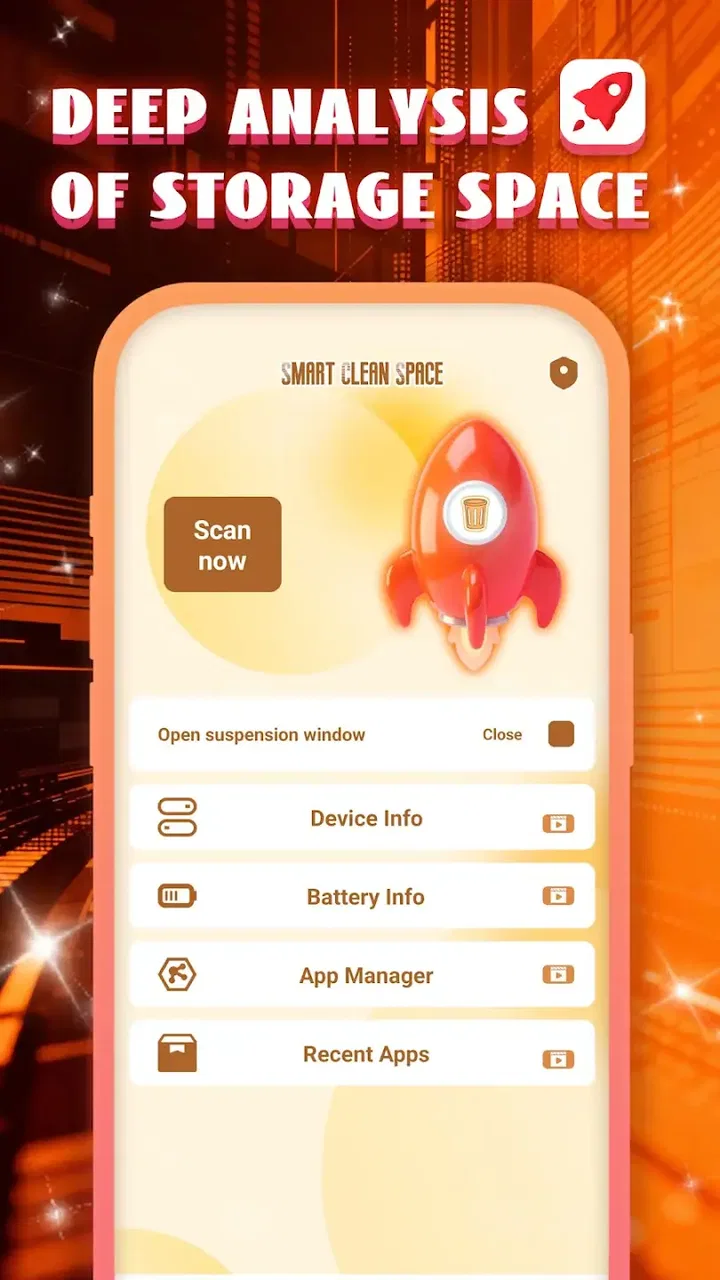
Smart Clean Space is an app designed to optimize your smartphone's performance by cleaning junk files, managing storage, and enhancing speed. It scans your device for unnecessary files and clears them to free up space. Additionally, it provides tools to monitor battery usage and manage applications efficiently.
02Is Smart Clean Space safe to use on my device?
Yes, Smart Clean Space is safe to use. It has been designed with user security in mind and does not delete essential system files. The app only targets junk files and cache that can be safely removed. It also ensures data privacy by not accessing personal files without permission.
03Does Smart Clean Space significantly improve device performance?
Smart Clean Space can improve device performance by freeing up storage space and reducing clutter. By cleaning up junk files and managing apps, it can enhance speed and responsiveness. However, the degree of improvement may vary based on the device's condition and usage patterns.
04Are there any in-app purchases or ads in Smart Clean Space?
Smart Clean Space offers a free version with basic cleaning features and includes ads. For an ad-free experience and access to advanced features like deep cleaning and battery optimization, users can opt for the premium version through in-app purchases.
05How often should I use Smart Clean Space to maintain my device?
It's recommended to use Smart Clean Space at least once a week to maintain optimal device performance. Regular cleaning helps prevent the buildup of junk files and ensures smooth operation. However, users can run scans more frequently if they notice slowdowns or storage issues.
Pros
- Efficiently clears junk files quickly.
- User-friendly interface for easy navigation.
- Boosts device performance noticeably.
- Customizable cleaning options available.
- Lightweight app with minimal battery drain.
Cons
- Displays ads in the free version.
- Occasional false positives in scans.
- Limited features without premium upgrade.
- Requires internet for some functionalities.
- May not support older device models.

Smart Clean Space
Gallery